

In today’s digital world, people constantly need tools to manage documents, edit images, convert files, and complete online tasks quickly. While many software programs offer these capabilities, they often require subscriptions, downloads, or complicated installations. This challenge has increased the demand for free web-based platforms that simplify everyday digital work. TinyWow has emerged as one of the most popular solutions because it provides a wide range of tools that users can access directly from their browsers without creating accounts or paying expensive fees.
Whether you are a student preparing assignments, a professional handling business documents, or a content creator editing media files, TinyWow offers practical solutions for common digital tasks. The platform combines PDF tools, image editing features, video utilities, and artificial intelligence capabilities into one convenient location. Its user-friendly design and free accessibility have attracted millions of users worldwide. Understanding TinyWow’s features can help individuals and businesses save time while improving productivity in their daily workflows.
What Is TinyWow
TinyWow is a free online platform that provides numerous digital tools designed to simplify everyday tasks. Instead of requiring users to download software, the platform allows individuals to access various utilities directly through a web browser. Users can edit PDFs, convert files, remove image backgrounds, compress documents, and perform many other tasks quickly. This accessibility makes TinyWow attractive to people seeking efficient solutions without investing in premium software subscriptions.
The platform focuses on convenience and versatility. Rather than specializing in one category, TinyWow offers a broad collection of tools that support different productivity needs. Users can switch between document management, image editing, video processing, and AI-powered writing assistance without leaving the website. This all-in-one approach helps streamline workflows and reduces the need for multiple applications, making TinyWow a practical resource for everyday digital activities.
The Purpose Behind TinyWow
The main purpose of TinyWow is to make digital tools accessible to everyone. Many people need basic editing and conversion features but do not want to purchase expensive software or navigate complex programs. TinyWow addresses this issue by providing free, browser-based solutions that simplify common tasks. Its goal is to eliminate barriers and help users complete work efficiently regardless of their technical expertise or budget limitations.
Another important objective is improving productivity. By gathering multiple tools under one platform, TinyWow reduces the time users spend searching for separate services. Whether someone needs to compress a PDF, convert an image format, or summarize text using AI, the platform offers a centralized solution. This convenience has helped TinyWow gain popularity among students, professionals, and everyday internet users seeking practical digital resources.
How TinyWow Works
TinyWow operates through a simple browser-based system that requires minimal effort from users. Visitors select a tool, upload a file if necessary, choose the desired action, and receive the processed result within minutes. The platform eliminates the need for software installations, making it accessible from virtually any device with internet access. This straightforward workflow allows users to complete tasks quickly without technical complications.
Most TinyWow tools function through automated processing systems. Once a file is uploaded, the platform applies the selected operation and generates the output. Users can then download the finished file directly to their devices. This streamlined process helps individuals handle digital tasks efficiently. Because the platform focuses on ease of use, even first-time visitors can navigate its features comfortably and achieve professional-looking results.
Key Features of TinyWow
TinyWow stands out because it combines a large collection of tools within a single platform. Users can access PDF editors, file converters, image utilities, video tools, and artificial intelligence features without switching between multiple websites. This versatility saves time and improves workflow efficiency. The platform continuously expands its offerings to meet the growing needs of modern users who require flexible digital solutions.
Another notable feature is accessibility. Most TinyWow tools are available without registration, allowing visitors to begin working immediately. This convenience removes unnecessary obstacles and encourages productivity. Additionally, the platform maintains a clean interface that makes navigation simple for users of all experience levels. These characteristics contribute significantly to TinyWow’s reputation as a practical and user-friendly online productivity platform.
PDF Editing Tools
PDF management represents one of TinyWow’s most popular categories. Users can merge multiple PDF files into one document, split large PDFs into smaller sections, compress file sizes, and convert PDFs into other formats. These capabilities help students, businesses, and professionals handle document-related tasks efficiently. The platform simplifies processes that traditionally required specialized software, making document management more accessible.
The PDF editing features also support productivity in everyday work environments. Businesses often need to combine reports, adjust document formats, or reduce file sizes for sharing. TinyWow provides convenient solutions without requiring expensive software licenses. Its browser-based approach ensures accessibility from various devices, enabling users to manage important documents quickly regardless of their location or technical expertise.
File Conversion Capabilities
File conversion is another area where TinyWow excels. The platform supports numerous conversion options, including PDF to Word, Word to PDF, image format changes, and various document transformations. These tools help users maintain compatibility across different software programs and devices. Instead of downloading separate conversion applications, individuals can complete tasks through a single online platform.
Reliable file conversion is essential for students, professionals, and businesses. Documents often need to be shared across multiple systems, and compatibility issues can create unnecessary delays. TinyWow simplifies this process by offering quick conversion services with minimal effort. The platform’s ability to handle multiple formats makes it a valuable resource for anyone working with diverse digital content regularly.
Image Editing Features
TinyWow offers a variety of image editing tools designed for everyday users. Features such as background removal, image resizing, cropping, and format conversion allow individuals to improve visual content quickly. These tools are particularly useful for social media creators, online sellers, and professionals who need polished images without investing in advanced design software.
The platform focuses on simplicity while still delivering practical functionality. Users can perform common image adjustments within minutes, making it ideal for fast-paced digital environments. By providing browser-based editing capabilities, TinyWow enables users to modify images from different devices without downloading additional applications. This flexibility has contributed significantly to its growing popularity among content creators and casual users alike.
Video Management Tools
Video content continues to dominate online communication, making video editing and conversion increasingly important. TinyWow addresses this demand by offering tools that help users convert video formats and perform basic editing functions. These features support individuals who need quick solutions without learning complex video editing software. The platform makes simple video tasks accessible to a broad audience.
For content creators and marketers, efficient video management can save valuable time. TinyWow’s tools provide convenient options for preparing videos for different platforms and devices. While it may not replace professional editing suites, it serves as a practical solution for basic requirements. This balance between simplicity and functionality makes the platform useful for everyday video-related tasks.
AI-Powered Writing Assistance
Artificial intelligence has become a major component of digital productivity, and TinyWow incorporates AI-powered writing tools into its platform. Users can generate content ideas, summarize text, rewrite passages, and perform various writing-related tasks. These capabilities help students, professionals, and creators improve efficiency when working on documents, articles, and other written materials.
The AI features are particularly valuable for individuals facing tight deadlines or creative challenges. By providing assistance with content generation and editing, TinyWow helps users overcome writer’s block and streamline their workflows. While human review remains essential for quality assurance, these tools can significantly reduce the time required to complete writing projects and improve overall productivity.
Benefits for Students
Students frequently deal with assignments, research papers, presentations, and document conversions. TinyWow offers practical tools that simplify these academic tasks. PDF editing, file conversion, and AI-powered writing assistance help students organize materials and complete projects more efficiently. Because the platform is free, it provides an attractive alternative to expensive educational software.
Accessibility also benefits students who use multiple devices throughout the day. Since TinyWow operates through a browser, users can access tools from school computers, personal laptops, or mobile devices. This flexibility supports productivity in different learning environments. As academic workloads continue growing, convenient digital resources like TinyWow play an increasingly valuable role in supporting student success.
Advantages for Business Professionals
Business professionals often manage reports, contracts, presentations, and various digital documents. TinyWow simplifies many of these tasks by providing quick access to editing and conversion tools. Employees can merge PDFs, compress large files, and transform documents into different formats without relying on specialized software. These capabilities improve efficiency and help streamline daily business operations.
Cost savings represent another significant advantage. Many organizations seek affordable alternatives to premium software subscriptions. TinyWow’s free tools reduce expenses while still providing practical functionality. The platform’s accessibility also supports remote work environments by enabling employees to complete essential tasks from virtually any location. This combination of convenience and affordability makes TinyWow valuable for professional users.
Why Content Creators Use TinyWow
Content creators frequently work with images, videos, and written content. TinyWow provides tools that support each of these areas, making it an attractive resource for creators managing multiple projects. Features such as image editing, video conversion, and AI writing assistance help streamline production processes while reducing reliance on separate applications.
The platform’s simplicity is particularly appealing to creators who prioritize speed and efficiency. Rather than spending time learning complicated software, users can complete basic tasks quickly and focus on producing engaging content. Whether creating social media posts, blog articles, or marketing materials, TinyWow offers practical solutions that help creators maintain productivity and meet publishing deadlines.
User Experience and Ease of Use
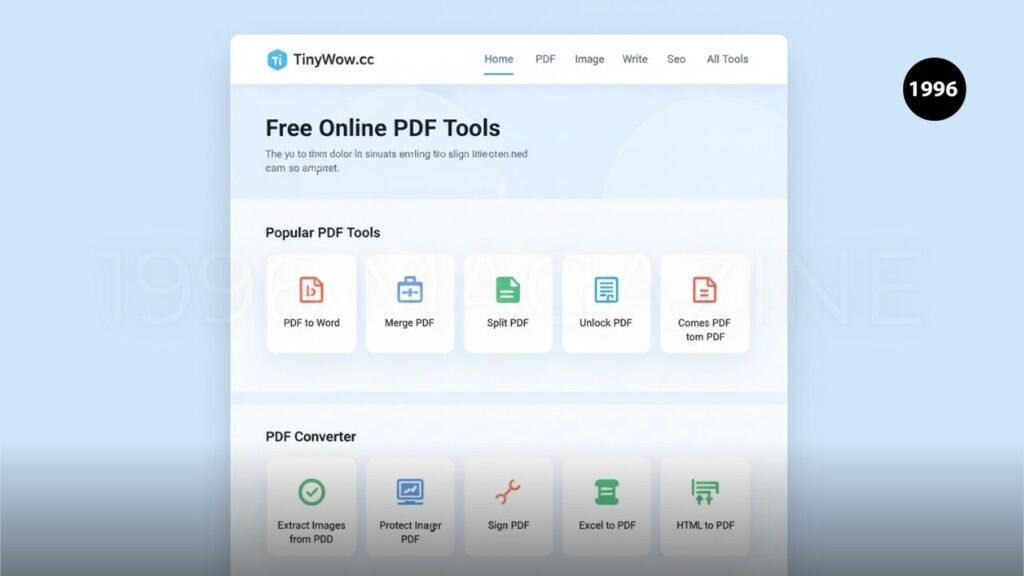
TinyWow’s user-friendly design contributes significantly to its popularity. The platform organizes tools clearly, allowing users to locate desired features without confusion. Simple navigation ensures that both beginners and experienced users can complete tasks efficiently. This accessibility reduces frustration and encourages repeat usage among individuals seeking reliable online productivity solutions.
The website also emphasizes speed and convenience. Most tools require only a few steps to produce results, minimizing the learning curve associated with digital workflows. By focusing on simplicity, TinyWow creates an experience that appeals to a wide audience. This commitment to usability has helped establish the platform as a trusted resource for everyday digital tasks. Explore more React vs Angular.
Privacy and Data Security
Privacy remains an important concern whenever users upload files to online platforms. TinyWow addresses these concerns by implementing data handling practices designed to protect user information. Understanding how files are processed and stored helps users make informed decisions about using online tools for sensitive documents and media files.
Users should always review privacy policies before uploading important information. While TinyWow provides convenient services, responsible digital habits remain essential. Individuals handling confidential documents should evaluate security practices carefully and ensure they understand the platform’s data retention policies. Awareness and caution help maintain a safer online experience when using any cloud-based productivity service.
Strengths and Limitations of TinyWow
TinyWow’s greatest strengths include accessibility, convenience, and versatility. The platform offers numerous tools without requiring payment or software installation. Users can complete a wide range of tasks through a single website, reducing complexity and improving efficiency. Its intuitive design also makes advanced digital functions more approachable for everyday users.
Despite these advantages, limitations exist. Some tools may not offer the advanced functionality found in professional software applications. Users with highly specialized requirements might need dedicated programs for complex projects. Additionally, internet access is necessary because the platform operates online. Understanding these strengths and limitations helps users determine whether TinyWow suits their specific needs.
Alternatives to TinyWow
Several online platforms provide services similar to TinyWow. These alternatives often focus on document editing, file conversion, image processing, or productivity enhancement. Comparing multiple options allows users to identify tools that best match their workflow requirements and personal preferences. Different platforms may emphasize specific features or offer unique capabilities.
When evaluating alternatives, users should consider factors such as ease of use, pricing, privacy policies, and available features. Some services specialize in PDF management, while others focus on media editing or AI-powered productivity. Exploring various options helps individuals select the most effective solution for their digital tasks and long-term productivity goals.
The Future of Online Productivity Tools
The demand for online productivity platforms continues growing as remote work and digital collaboration become more common. Users increasingly prefer browser-based solutions that provide flexibility and accessibility across devices. TinyWow reflects this trend by offering practical tools that eliminate many traditional software barriers while supporting efficient workflows.
Future productivity platforms will likely incorporate more artificial intelligence, automation, and cloud-based capabilities. These advancements could further simplify complex tasks and improve user experiences. As technology evolves, platforms like TinyWow may expand their services to meet changing demands. The continued focus on convenience, affordability, and accessibility will remain essential factors shaping the future of digital productivity tools.
Conclusion
TinyWow has established itself as a valuable platform for individuals seeking free and convenient digital tools. Its extensive collection of PDF editors, file converters, image utilities, video tools, and AI-powered features helps users complete everyday tasks efficiently. The platform’s browser-based design removes many barriers associated with traditional software, making productivity tools accessible to a broader audience.
Whether you are a student, business professional, or content creator, TinyWow offers practical solutions that save time and simplify workflows. While it may not replace advanced professional software for specialized projects, its versatility and ease of use make it an excellent resource for routine digital tasks. As online productivity continues evolving, TinyWow remains a strong example of how accessible technology can support modern users.
Frequently Asked Questions
What is TinyWow?
TinyWow is a free online platform offering PDF, image, video, and AI-powered productivity tools.
Is TinyWow free to use?
Yes, most TinyWow tools are available free of charge.
Do I need to create an account?
No, many features can be used without registration.
Can TinyWow edit PDF files?
Yes, it offers PDF editing, merging, splitting, compression, and conversion tools.
Does TinyWow provide AI writing tools?
Yes, the platform includes AI-powered writing and text assistance features.
Stay More Update 1996 MAGAZINE